
Quotes and estimates
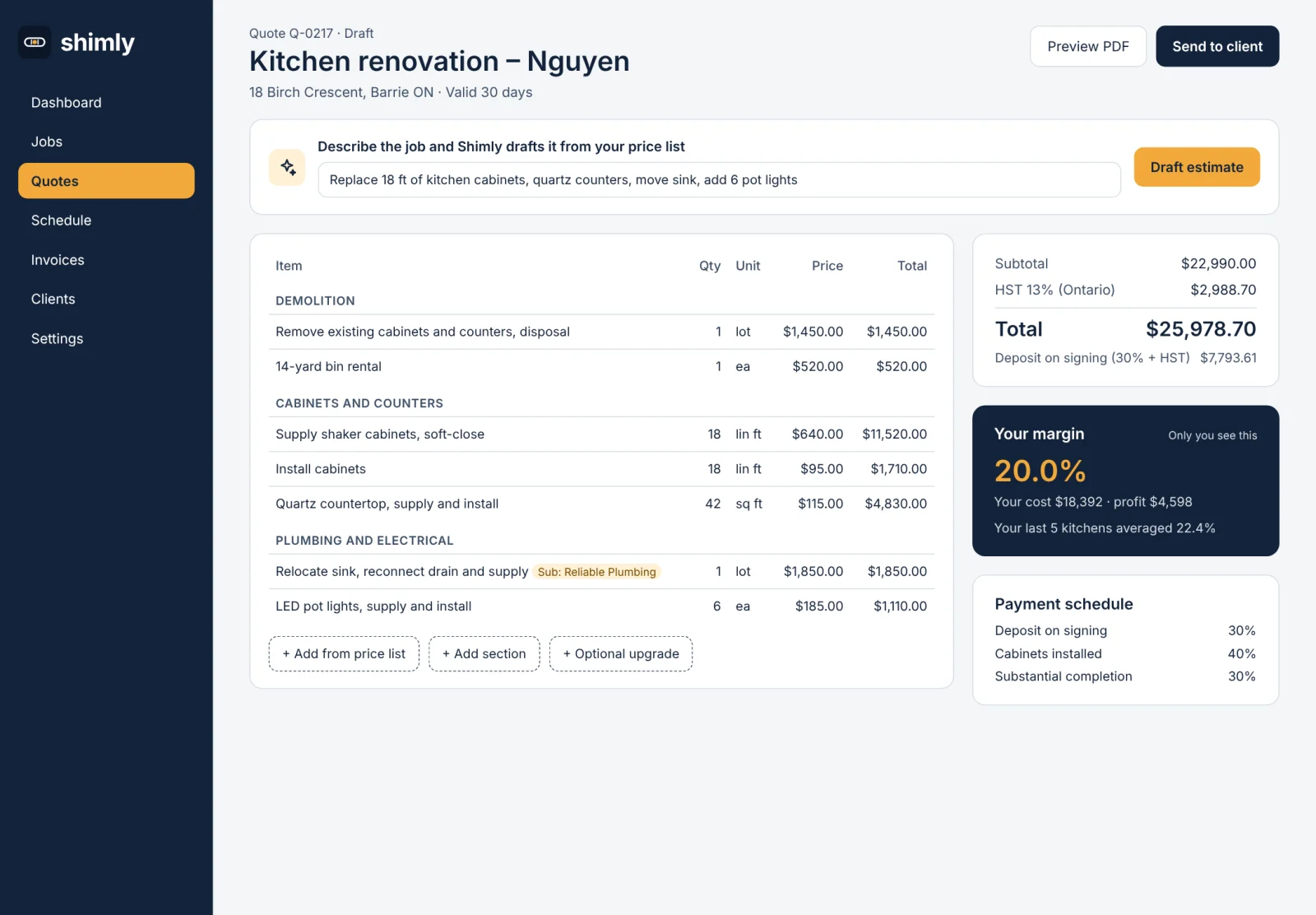
Build branded quotes from your own price list. See your private margin before anything goes out, and set a payment schedule with deposits.
Quotes, jobs, crew and invoices work from the same job, in the office and in the field. Here is what Shimly does, area by area.
Build branded quotes from your own price list, and see your margin before anything goes out.
Build branded quotes from your own price list. See your private margin before anything goes out, and set a payment schedule with deposits.
Describe the job by typing or speaking, and Shimly drafts the estimate from your prices and markups. It never sends anything by itself. You check it first.
ProPick your trade during setup and Shimly loads a starter price list and checklists, so you are not starting from a blank page.
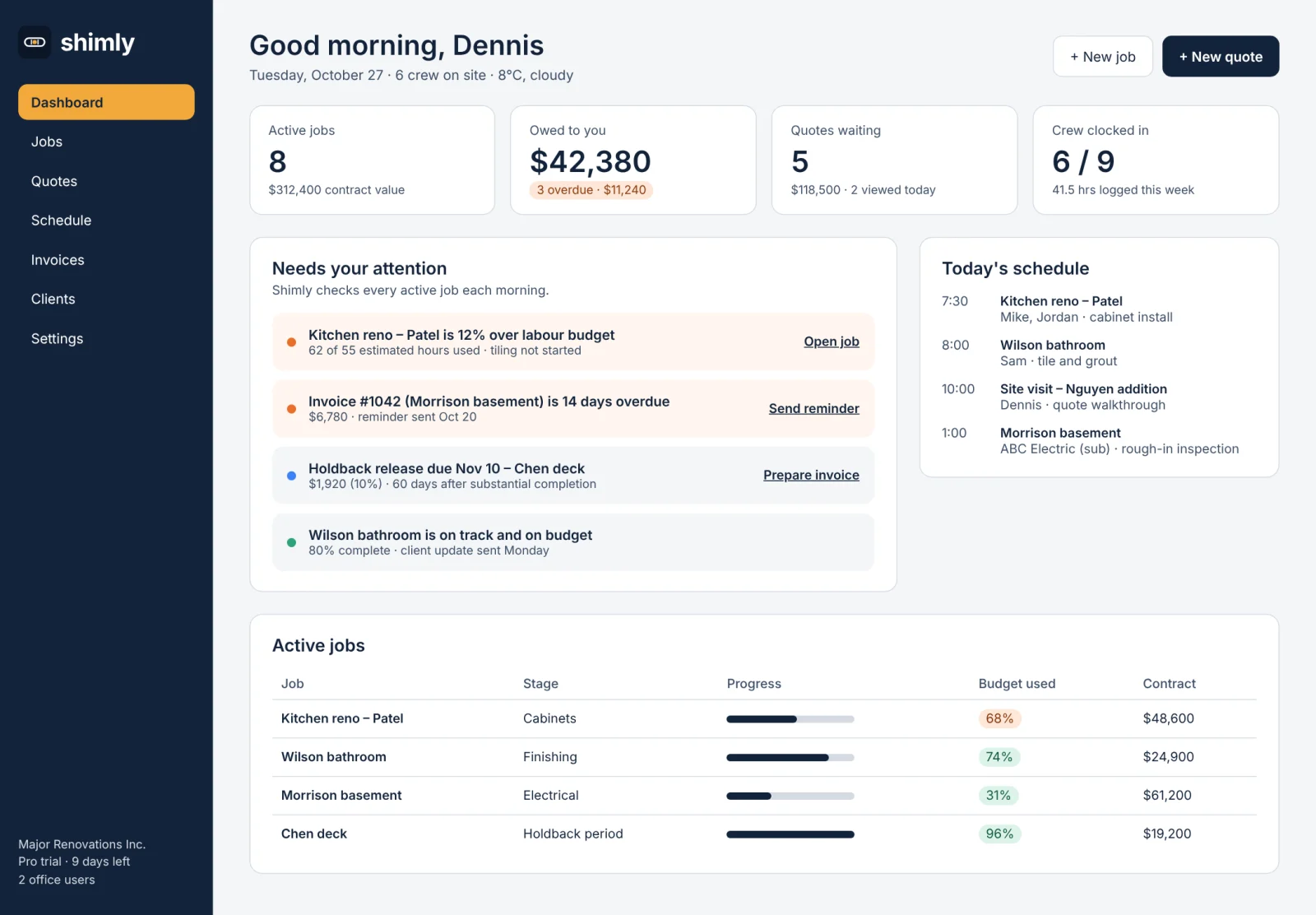
The job page is the hub. The schedule shows who is where, and Shimly tells you what needs attention.
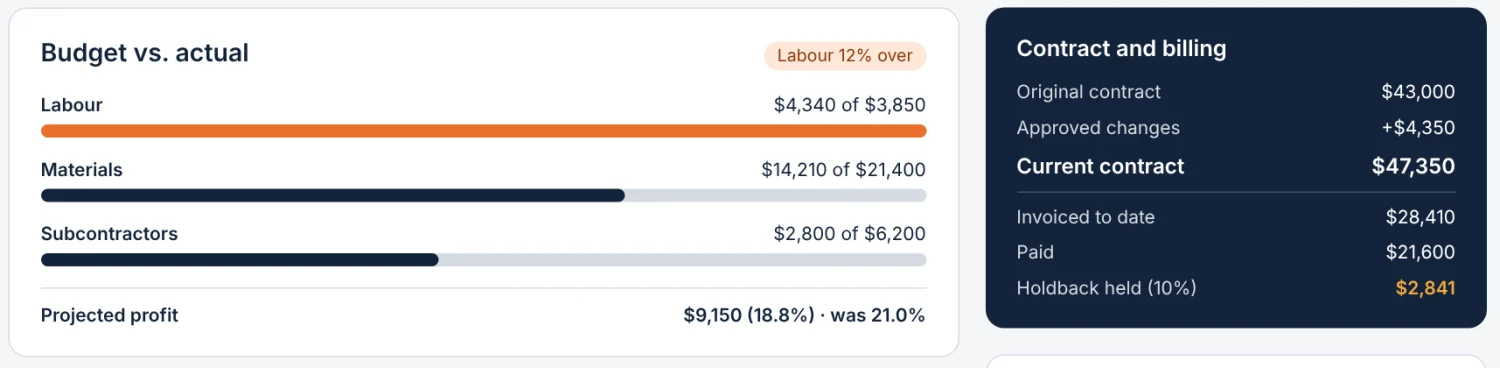
Schedule, change orders, invoices, daily logs, photos and files all live on one job page. On Pro, it also tracks budget vs. actual for labour, materials and subs.
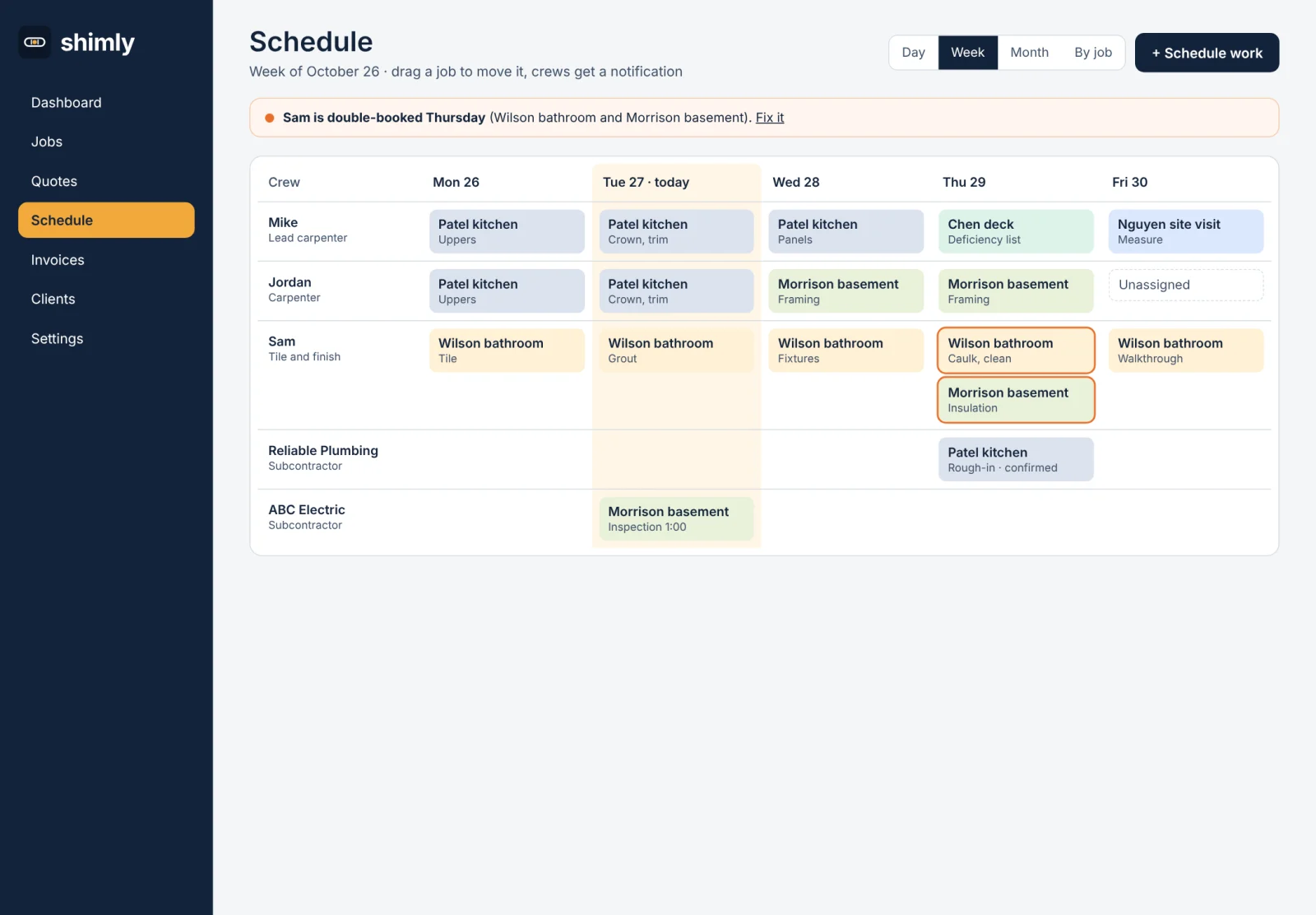
A week grid by crew member and sub. Drag a job to move it, your crew gets a notification, and Shimly warns you about double-booking.
Every morning Shimly checks each active job and says in plain words what needs attention, like a job running over its labour budget or an invoice that is two weeks overdue.
ProGive your subs their own portal. Shimly tracks WSIB clearance and insurance expiry, and alerts you so nothing lapses unnoticed.
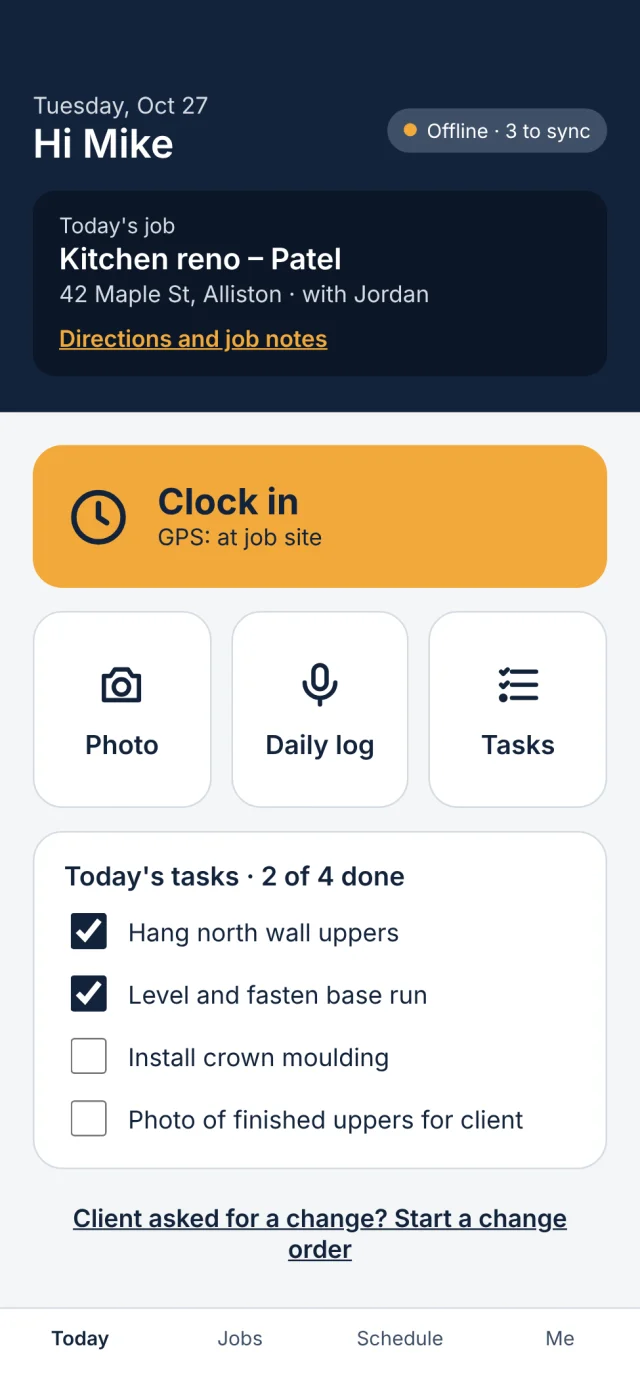
ProThe mobile app has big buttons and keeps working in a basement. Field actions take three taps or fewer.
Big buttons for Clock in (with GPS), Photo, Daily log and Tasks. Field actions take three taps or fewer, with no signal needed. Photos queue up and upload later.
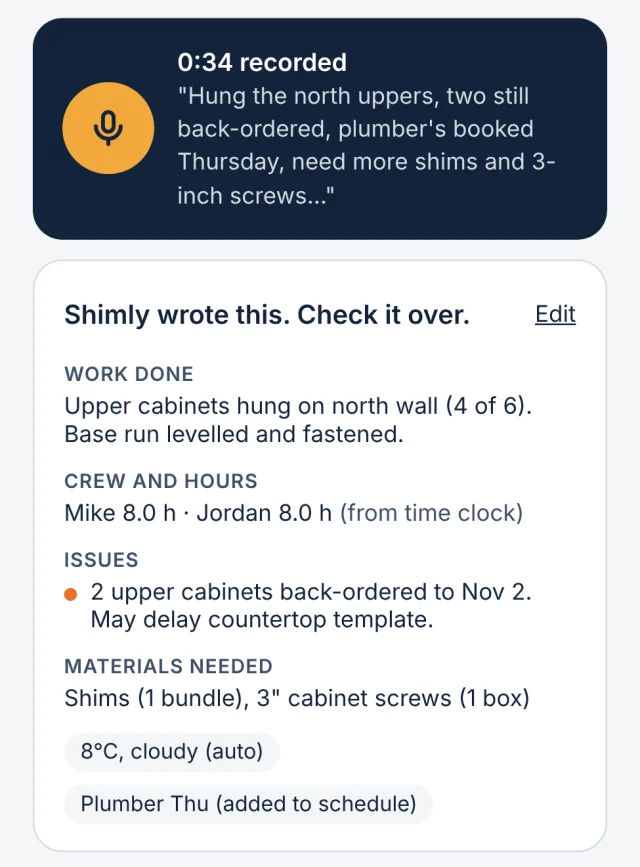
The foreman talks for about 30 seconds. Shimly turns it into a structured log: work done, crew and hours, issues and materials needed. It adds the weather and the day's photos, then the foreman reviews and saves.
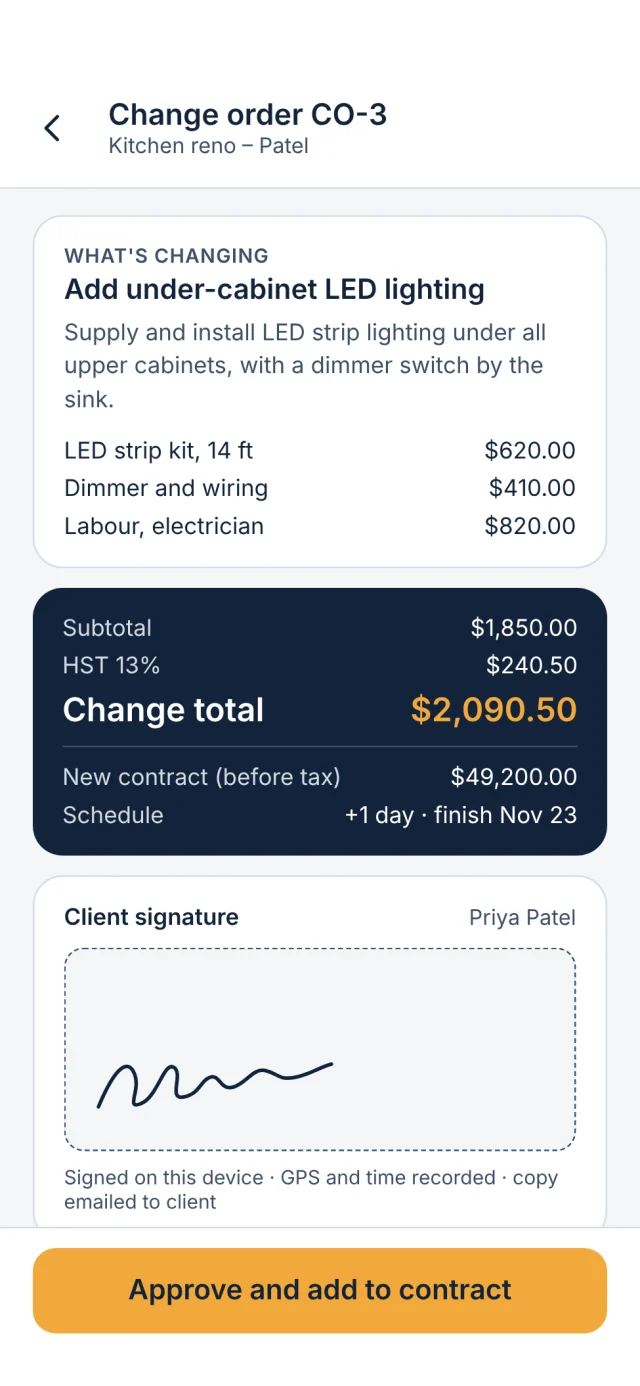
Describe the change, price it, and the client signs on screen or from an emailed link. The contract value and schedule update on their own. Our target is under 60 seconds.
Field crew, clients and subs are free and unlimited. You pay for office users only.
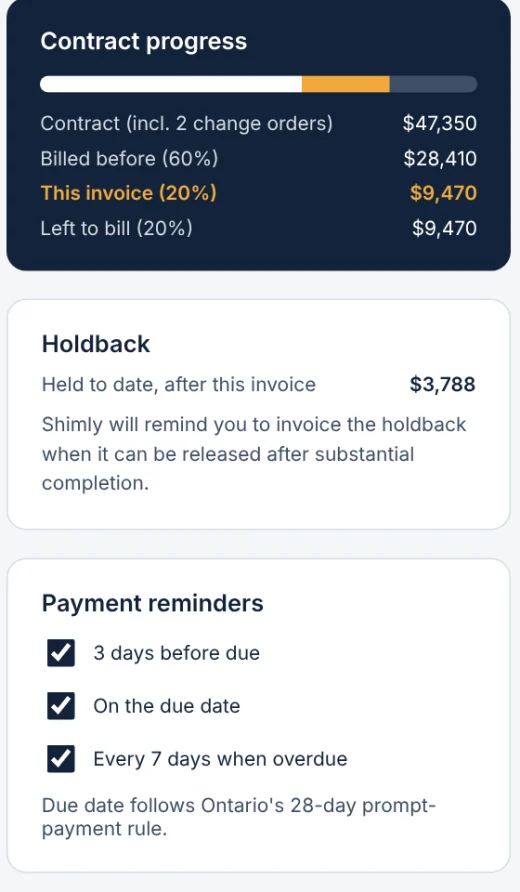
Progress billing, holdback and payment reminders are part of the app, and your clients can see and pay from their own portal.
Invoice a draw as a percentage of the contract, with tax by province. Holdback is withheld (Ontario default 10%) and tracked until release.
Clients pay by card or bank transfer online, and you record an Interac e-Transfer or cheque in one tap. Invoices default to 28-day due dates, and payment reminders go out automatically.
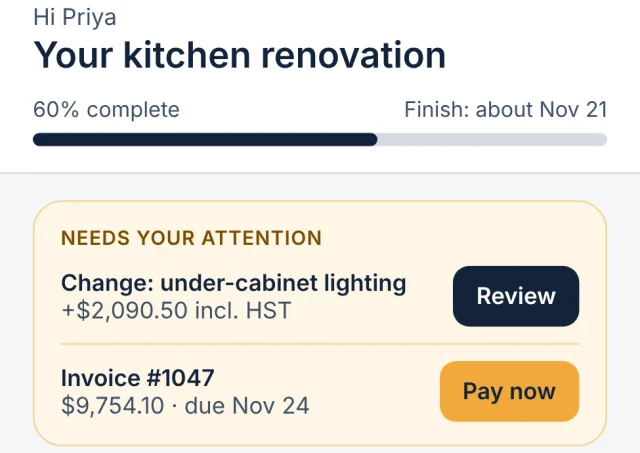
Homeowners see progress, approve changes and pay invoices in their own portal. They also get a weekly update with photos. You preview it first, or skip it.
Start with the basics and switch on more as you need it. Reports and accounting sync keep the numbers where you can use them.
Connect QuickBooks Online or Xero. A visible sync log shows what went across, and any error is spelled out clearly.
A new account shows only Quotes, Jobs, Schedule and Invoices. Advanced modules are switches you turn on when you need them.
See money in, money owed, quotes and win rate, crew hours, holdback and sales tax, and download any report as a CSV.
See which jobs made money: job profitability, work in progress, cash flow, backlog and how accurate your quotes were.
ProAdd a photo or PDF of a receipt and Shimly reads the vendor, date and amounts, and suggests a cost category. You check it, then save it to the job.
ProA scorecard for each project manager, saved reports, and a monthly owner report sent by email.
BusinessFeatures tagged Pro come with the Pro plan and up, and Business features with the Business plan. Accounting sync comes with the Starter plan and up. See what each plan includes.
Shimly is Canada-first, starting with Ontario. The tax, holdback and payment rules you deal with are part of the app, not an afterthought.
GST, HST and PST are handled by province, right on the invoice.
Holdback is withheld at the Ontario default of 10% and tracked until it is released, so you always know what is still owed to you.
Invoices default to 28-day due dates, and payment reminders go out automatically.
Track WSIB clearance and insurance expiry for your subs, with alerts when they are due.
ProUse Shimly in English or French.
And you can export all of it (CSV, PDF or ZIP) any time you like.
Shimly helps you track tax, holdback and payment rules. It is not legal advice, and rules vary by province and by contract.
The office on the web, the field on a phone, and what your client sees.
Screens show sample data and may change before launch.
Shimly is pre-launch, and a trial customer is testing it now. Tell us about your business and we will follow up about early access.